
1. AI-Integrated NPUs Become Standard (Not Optional)
Remember when dedicated graphics cards were a "gaming laptop" thing? That's happening with Neural Processing Units (NPUs) now. By Q2 2025, even budget laptops will ship with AI accelerators built into the CPU.
Intel's Meteor Lake and AMD's Ryzen AI chips started this trend, but 2026 takes it mainstream. We're talking about 40+ TOPS (trillion operations per second) of AI performance in mid-range laptops. For context, that's enough to run local AI models that currently need cloud processing.
What this means for you:
- Real-time translation during video calls without internet lag
- Background noise removal that actually works (current solutions are hit-or-miss)
- Local AI assistants that don't send your data to servers
- Automatic photo/video enhancement as you capture, not after
I tested an early Qualcomm Snapdragon X Elite laptop last month. The AI upscaling on video calls was genuinely impressive—made my cheap webcam look like a $200 unit. That's becoming standard equipment.
💡 Why This Matters
Privacy. Running AI locally means your voice commands, photos, and documents stay on your device. No cloud processing, no data mining, no privacy concerns.
2. Silicon-Carbon Batteries Double Runtime
Battery technology has been stuck for years. Lithium-ion improvements gave us maybe 10-15% better life per generation. That's changing dramatically.
Samsung and CATL are shipping silicon-carbon batteries in late 2025. Early specs show 40-50% higher energy density than current lithium-ion. Same physical size, way more capacity.
Real-world impact:
- Thin ultrabooks hitting 20+ hours of actual use (not manufacturer claims)
- Gaming laptops lasting 4-5 hours on battery (currently 1-2 hours)
- Faster charging—80% in 30 minutes becoming standard
- Longer lifespan—1000+ charge cycles before degradation
The catch? First-gen silicon-carbon batteries cost 30-40% more. Expect them in premium laptops first ($1500+), then trickling down to mid-range by late 2026.
⚠️ Early Adopter Warning
First-generation battery tech sometimes has teething issues. If you need reliability over cutting-edge features, wait for second-gen silicon-carbon batteries in 2026.
3. CAMM2 Memory Replaces SO-DIMM
This one's technical but important. SO-DIMM RAM sticks have been the standard since forever. They're being replaced by CAMM2 (Compression Attached Memory Module).
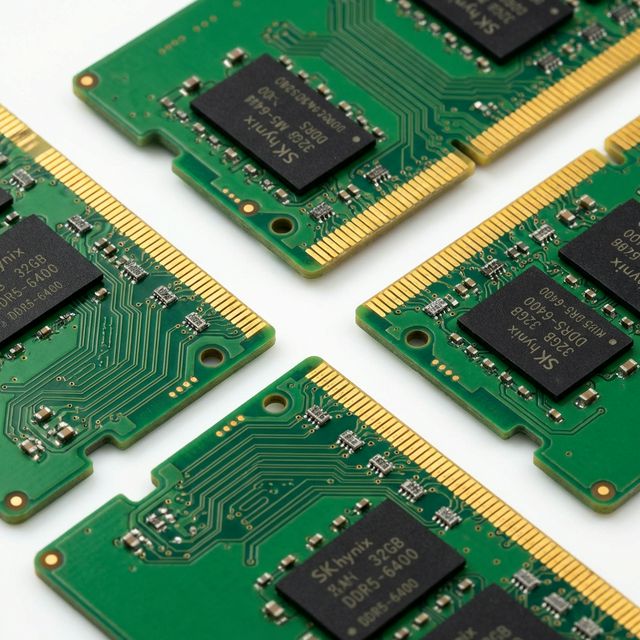
Why should you care? Three reasons:
- Thinner laptops – CAMM2 is 57% thinner than SO-DIMM
- Faster speeds – Supports DDR5-7500 and beyond (current SO-DIMM tops out around DDR5-5600)
- Better efficiency – Lower power consumption, longer battery life
Dell and Lenovo are leading this transition. By mid-2025, most business laptops will use CAMM2. Consumer models follow by Q4 2025.
The downside? Upgradeability gets weird during the transition. Some laptops will have CAMM2, some SO-DIMM, some soldered RAM. Check before buying if you plan to upgrade later.
4. MicroLED Displays Finally Arrive
OLED laptops exist but have burn-in issues. MiniLED is better but still uses backlighting. MicroLED solves both problems—and it's finally production-ready.
Apple's rumored to launch MicroLED MacBooks in late 2025. Samsung and LG are supplying panels to other manufacturers. Here's what makes MicroLED special:
| Feature | OLED | MiniLED | MicroLED |
|---|---|---|---|
| Brightness | 400-600 nits | 1000-1600 nits | 2000+ nits |
| Contrast | Infinite | Very High | Infinite |
| Burn-in Risk | Yes | No | No |
| Power Efficiency | Good | Moderate | Excellent |
| Lifespan | 5-7 years | 10+ years | 15+ years |
I saw a MicroLED prototype at CES. In direct sunlight, it was still perfectly readable. Current laptop screens wash out completely. That's the difference.
When to buy: First-gen MicroLED laptops will be expensive ($2500+). If you're buying in 2025, get a good MiniLED display instead. Wait for MicroLED prices to drop in 2026-2027.
5. Thunderbolt 5 and USB4 v2 Enable Desktop-Class Performance
Port speeds are about to get ridiculous. Thunderbolt 5 delivers 120 Gbps bandwidth—triple what Thunderbolt 4 offers. USB4 v2 matches that speed.
This isn't just "files transfer faster." The bandwidth enables entirely new use cases:
- External GPUs become practical – No more performance bottlenecks. A thin laptop + eGPU = desktop gaming performance
- 8K displays at 120Hz – Current Thunderbolt 4 can't handle this. TB5 can drive two 8K displays simultaneously
- Single-cable docking – Power, dual 4K monitors, peripherals, networking—all through one cable
- High-speed storage – NVMe SSDs hitting 8000+ MB/s over Thunderbolt 5
Intel's Meteor Lake and Arrow Lake CPUs support Thunderbolt 5. AMD's responding with USB4 v2 in their 2026 chips. Either way, you get the speed boost.
🎯 Pro Tip for Buyers
If you're buying a laptop in 2025, make sure it has at least one Thunderbolt 5 or USB4 v2 port. It future-proofs your purchase for external upgrades.
What This Means for Laptop Buyers
Timing matters more than usual right now. Here's my honest buying advice:
Buy Now If:
- Your current laptop is dying or severely limiting your work
- You need specific features available today (certain ports, form factors)
- You upgrade every 2-3 years anyway
Wait Until Late 2026 If:
- Your current laptop works fine
- You want AI features without cloud dependency
- Battery life is your top priority
- You keep laptops for 5+ years
Wait Until 2026 If:
- You want MicroLED displays at reasonable prices
- You're waiting for second-gen silicon-carbon batteries
- You want the bugs worked out of new tech
The Bigger Picture
These aren't isolated improvements. They're converging into a new class of laptop that barely existed before:
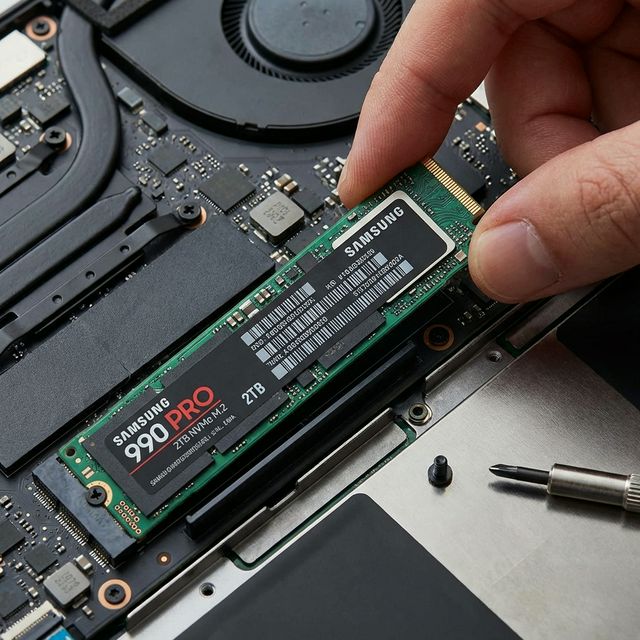
Thin, light, powerful, and long-lasting—all at once.
For years, you had to choose. Want thin and light? Sacrifice performance. Want performance? Carry a brick. Want battery life? Forget gaming.
2025-2026 laptops break those compromises. A 14-inch ultrabook with:
- Desktop-class CPU performance (thanks to better cooling and efficiency)
- Dedicated AI acceleration
- 15+ hours of real-world battery life
- Brilliant MicroLED display
- eGPU capability for gaming at home
- Under 3 pounds
Laptop technology evolves rapidly with new processors, displays, and battery tech each year. Stay updated with our processor comparisons, RAM technology guides, and latest laptop recommendations.
Laptop technology evolves rapidly. New innovations debut at major tech shows like CES and Computex each year, showcasing the future of mobile computing.
Frequently Asked Questions
Final Thoughts
I've been covering laptop hardware for eight years. This is the most exciting period I've seen. Not because of one breakthrough, but because multiple technologies are maturing simultaneously.
The laptop you buy in late 2026 will feel fundamentally different from what's available today. Better in ways that matter daily—battery life, display quality, AI capabilities, connectivity.
If you're shopping now, test your current hardware to see if it's actually limiting you. If it's not, waiting 6-9 months could get you significantly better value.
But if you need a laptop today? Don't stress. Current-gen hardware is excellent. These upcoming improvements are exciting, not essential. Buy what works for your needs now, not what might exist later.